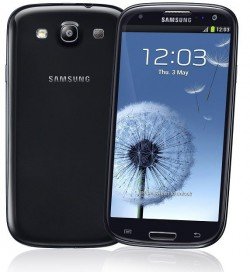
In this tutorial we will help you to enter your Samsung Galaxy S3 (all models) in to the "Recovery Mode". This method is compatible on all Samsung Galaxy S3 variants like Samsung I9300 Galaxy S3, Samsung I8190 Galaxy S3 mini, Samsung Galaxy S3 mini, Samsung I8190N Galaxy S3 mini, Samsung GALAXY S3 Neo I9300I, Samsung I9305 Galaxy S3 and Samsung GALAXY S3 LTE.
Step by step procedure to enter your Samsung Galaxy S3 into the "Recovery Mode"
1. First you need to switch of your Samsung Galaxy S3.
2. Now in the power down status press and hold "Home"+"Volume Up"+"Power" buttons until you see the "Samsung Galaxy S3" and Model Number on the screen, now release the power button while holding the other buttons. Then you will see a similar screen like the one given below.

The above screenshot shows the CWM based "Recovery Mode".

The above screenshot shows the android "Recovery Mode".
If you are getting the above or similar one, your Samsung Galaxy S3 is in the "Recovery Mode". Please use "Volume Up" and "Volume Down" buttons to toggle through the menu and "Power" button to select or confirm.
If "How To Enter Samsung Galaxy S3 In Recovery Mode?" tutorial really helped you, please give a like/share on social networking websites by using the below given buttons.



Comments
RSS feed for comments to this post