

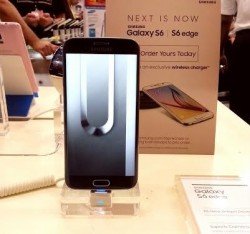
Are you the proud owner of the mighty yet powerful Samsung Galaxy S6 who is searching for the secret codes, then you have came to the right playground. At SamsungSFour.com you will find all secret codes of your favourite Galaxy S6 Android Smartphone. These codes are compatible on all S6 variants like Samsung Galaxy S6 SM-G920, Samsung Galaxy S6 SM-G9200 (Hong Kong), Samsung Galaxy S6 SM-G9208 (China), Samsung Galaxy S6SM-G9208/SS (China), Samsung Galaxy S6 SM-G9209 (China), Samsung Galaxy S6 SM-G920A (AT&T), Samsung Galaxy S6 SM-G920F (Global), Samsung Galaxy S6 SM-G920FD (Pakistan, Philippines), Samsung Galaxy S6 SM-G920I (LATAM, Singapore, India, Australia), Samsung Galaxy S6 SM-G920S (Korea), Samsung Galaxy S6 SM-G920T (T-Mobile) and Samsung Galaxy S6 active SM-G890
Ad
Please check the below screenshot to get an idea about how to enter the below given codes to your Galaxy S6.
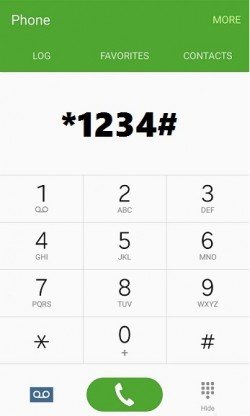
So as you can see in the above screenshot just type the code to your normal dialling keypad, that’s it the code will just execute.
All Secret Codes Of Samsung Galaxy S6
- *#0*# - Hardware diagnostic tests
- *#0011# - Service Mode (shows LTE band and more)
- *#06# IMEI
- *1234# Firmware Information
- *#7412365# Camera Firmware Standard Menu
- *#7353# Quick Test Menu
- *#12580*369# To check software and hardware informations
- *#0228# Battery Status
- *#32489# , *#0011# Service Mode
- *#7780# Factory Data Reset
- *2767*3855# Full Factory Reset (be careful because it will not ask for confirmation)
If any of the codes are not working or you have any Galaxy S6 useful codes with you which are not published here, please feel free to post it in the comment section below so that everybody will benefit from it.
If "All Secret Codes of Samsung Galaxy S6" tutorial really helped you, please give a like/share on social networking websites by using the below given buttons.
Ad


Comments
Please try *#0011#
RSS feed for comments to this post